Ever feel like your brilliant Business Analyst insights aren’t getting the attention they deserve during a presentation?
You’re not alone.
Many Business Analysts face a challenge where their valuable ideas don’t make an impact on decision–makers.
This guide shows you how to create presentations that don’t just inform, but also persuade — helping to drive real business decisions and get support from key people.
1.
Beyond Bullet Points: Start with Your Audience
Understanding who your audience is and what matters to them is the first step.
Before you create any slide, ask yourself: Who am I speaking to and what are their main concerns?
Everyone involved — like project sponsors, developers, and users — has different needs and expectations.
For example,
If you’re presenting a requirements analysis to a CFO, focus on cost and return on investment.
But if you’re talking to a technical architect, highlight system efficiency and how well the system can handle growth.
Tip: Create quick stakeholder personas, similar to how you might create customer personas.
List their main challenges, goals, and how they like to receive information.
Define your presentation’s one clear purpose
Every good presentation starts with a single clear goal — not ten different things.
Are you trying to get approval, explain a problem, or suggest a solution?
Figure that out before you even open PowerPoint.
Example:
When a Business Analyst presents a new process improvement, they shouldn’t overwhelm the room with all the details.
Instead, they should focus on why the change matters and how it improves efficiency.
The “So What” Factor
After every slide, ask yourself: So what?
Why should the audience care?
Stakeholders are busy, so relevance is key.
Example:
Instead of saying, “System downtime reduced by 30%,” say, “This means an extra 2 hours of customer service every day, which helps improve satisfaction scores.”
2.
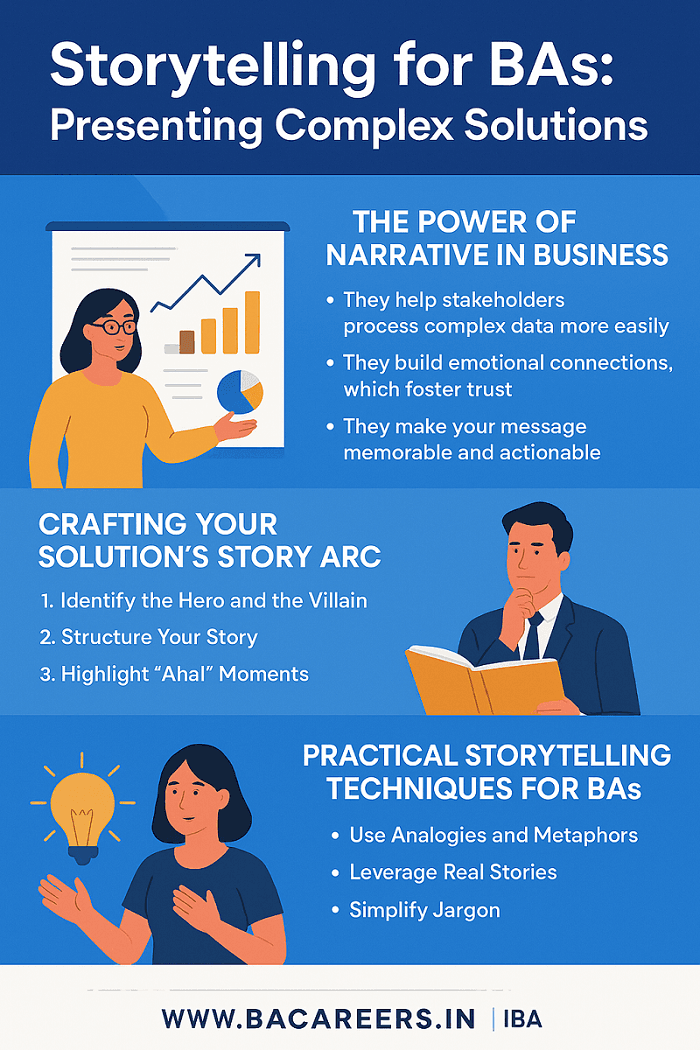
The Narrative Arc: Telling a Story That Matters
Crafting a compelling problem statement
Good presentations start with a problem that stakeholders can relate to and care about.
Use data and feedback from users to show the issue clearly.
Example:
“Last quarter, our support team dealt with 1,200 repeat complaints about delayed invoice generation — costing ₹3.5 lakhs in extra work.”
This sets the tone and shows how urgent the issue is.
Link: How to Write a Business Requirements Document (BRD)
Building logical bridges: Connecting data to solutions
The strength of a Business Analyst lies in connecting facts to outcomes.
Each slide should move from the issue to analysis, then to the solution, and finally to the benefit.
Example:
Use a process flow diagram to show the current workflow and the new one.
Then use metrics to show the expected improvement.
Anticipating objections
Think like your stakeholders.
If your suggestion requires more time or money, address it directly.
Example:
“If we delay the rollout by two weeks, the QA team can test real–world scenarios — reducing post–deployment bugs by 40%.”
This shows you’ve considered the challenges and builds trust.
3.
Visual Persuasion: Data That Speaks
Choosing the right chart for your message
Numbers only tell a story when shown clearly.
Bar chart: Compare different categories (e.g., before and after changes)
Line chart: Show how something changes over time (e.g., improvement in defect rates)
Pie chart: Show how parts make up a whole (e.g., time spent in different project phases)
Example:
A Business Analyst presenting user adoption data can use a line chart to show growth after a new feature was released — making the message clear and compelling.
Decluttering slides: Keep it simple
One of the biggest mistakes in BA presentations is overcrowded slides.
Each slide should focus on one idea, supported by visuals and explained clearly.
Tip: If a slide has too much text, create a detailed version for documentation and a simplified version for the presentation.
Using color and icons wisely
Color can help convey meaning — green for success, red for risk, blue for reliability.
Icons can guide attention — arrows for flow, checkmarks for approval, warning symbols for risks.
Example:
A risk heatmap using color intensity immediately draws attention to the most critical areas.
4.
Mastering Delivery: Communicating with Confidence
The power of silence
A pause isn’t awkward — it shows confidence.
When you make an important point, pause for two seconds.
This lets your message sink in and shows you’re in control.
Engaging your audience
Ask questions like:
“Has anyone experienced this issue in their department?”
“What if we could reduce this by 25% without adding extra cost?”
This turns a presentation into a conversation.
Example:
During a requirements meeting, a Business Analyst asked, “Would this workflow save you time on manual data entry?”
— which led to some great ideas from the users.
Using body language and tone
Make eye contact, smile occasionally, and vary your tone to highlight what’s important.
Confidence makes your message more trustworthy.
5.
Call to Action: Getting Results
Crafting a clear and actionable request
Don’t end with “Any questions?”
— end with a clear request.
Tell who needs to do what and by when.
Example:
“Today, I’m asking for approval to move forward with the pilot by next Monday.”
Providing next steps and assigning responsibility
Show a timeline, assign owners, and follow up with a summary email.
Example:
After a stakeholder meeting, a Business Analyst summarizes the key decisions and assigns follow-up actions — ensuring no ideas are left behind.
Following up
Impactful Business Analysts don’t stop after a meeting.
They keep things moving by documenting decisions, sharing updated presentations, and checking in on progress — which builds accountability.
Conclusion
Persuasive Business Analyst presentations aren’t about flashy slides — they’re about clarity, understanding, and influence.
When a Business Analyst tells the right story, uses the right visuals, and speaks with confidence, their presentations move from being just reports to being tools for making important decisions.
So the next time you present, remember: Don’t just share information — inspire action.
Related Articles:
External Links

Business Analyst , Functional Consultant, Provide Training on Business Analysis and SDLC Methodologies.
🌐 Founder of BACareers.in| Freelance Business Analyst & Content Writer | Banking Domain Expert | Agile Practitioner | Career Mentor
I am the founder and content creator of BACareers.in, a specialized platform for aspiring and experienced Business Analysts. I share real-world insights, career tips, certification guidance, interview prep, tutorials, and case studies to help professionals grow in the BA career path.
We have strong experience in Banking, Financial Services, and IT. We bring deep domain knowledge and hands-on expertise in core banking systems, payment integrations, loan management, regulatory compliance (KYC/AML), and digital banking transformations.
💼 Business Analyst Expertise
Requirement Elicitation, BRD/FRD, SRS, User Stories, RTM
Agile & Waterfall (Scrum, Kanban) methodologies
Business Process Modeling (BPMN, UML, AS-IS/TO-BE)
Stakeholder Communication & Gap Analysis
UAT Planning, Execution & Support
Core Banking Solutions (Finacle, Newgen BPM, Profile CBS, WebCSR)
✍️ Content Writing & Strategy
Founder of BACareers.in – knowledge hub for BAs & IT professionals
SEO-optimized blogs, training content, case studies & tutorials
Content on Business Analysis, Agile, Banking, IT & Digital Transformation
Engaging, beginner-friendly writing for professionals & learners
🌍 What we Offer
Freelance Business Analysis services: BRD, FRD, UAT, process flows, consulting
Freelance Content Writing: SEO blogs, IT/business content, case studies, LinkedIn posts
A unique blend of analytical expertise + content strategy to turn business needs into solutions and ideas into words that work
📌 Whether you’re an organization seeking BA expertise or a platform needing impactful content, let’s connect and collaborate.
Business Analyst, Agile, BRD, FRD, Banking, Content Writer, SEO writing.