

FREE DOWNLOAD: Business Analyst Documentation Toolkit
Get instant access to real-world BRD, FRD, and project story templates used by senior BAs.
Download Free Templates PDFWhy Should Business Analysts Use Postman?
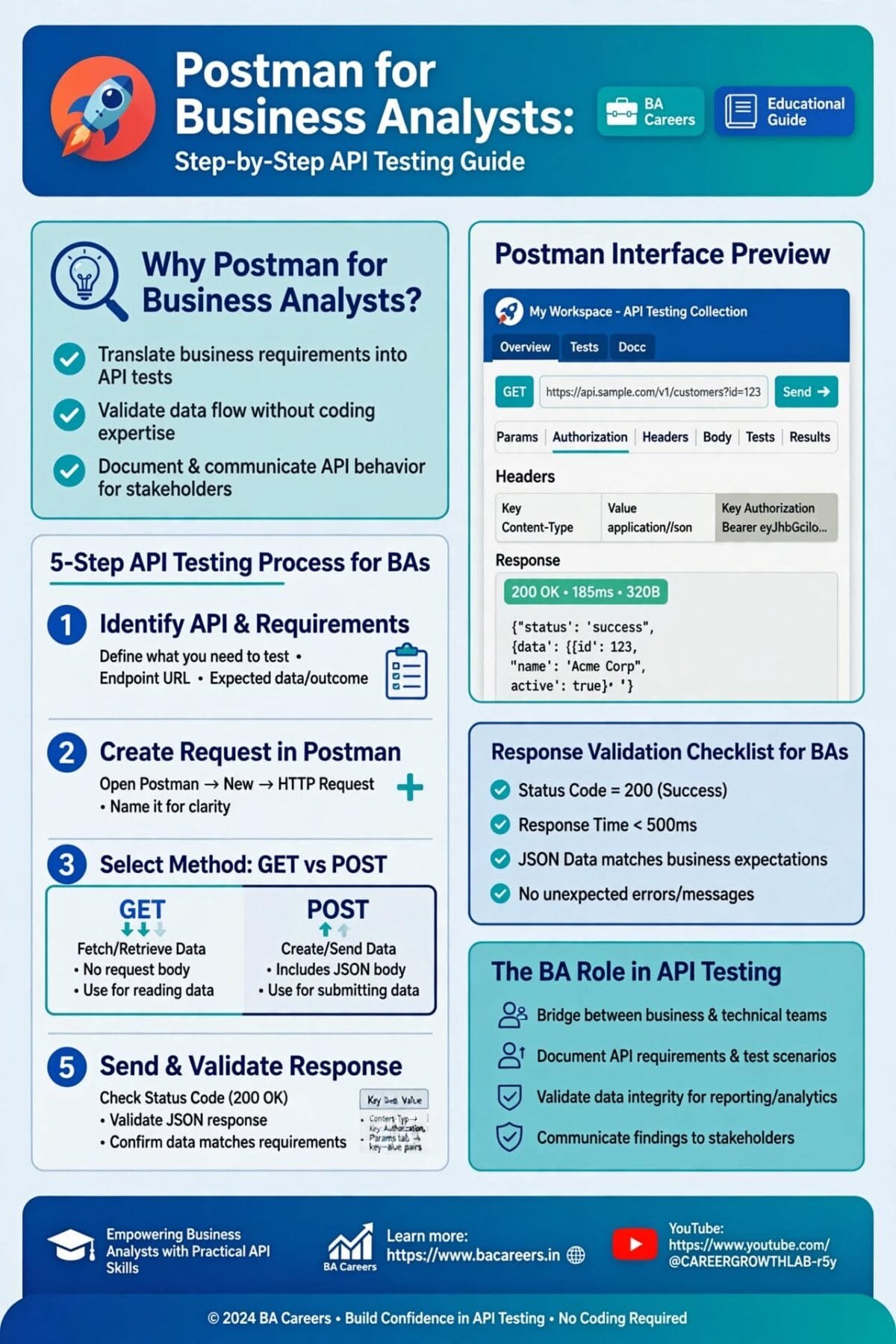
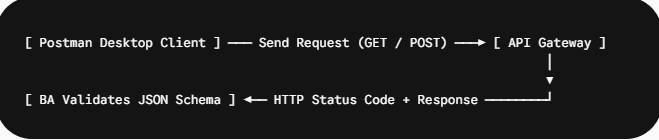
Postman is an API development and testing platform that allows Business Analysts to send HTTP requests to web servers, inspect API data payloads (JSON/XML), validate request parameters, and verify backend business rules before frontend user interfaces (UI) are even built.
By using Postman, BAs can perform early interface validation, ensuring third-party payment gateways, credit check APIs, or inventory services return expected data attributes long before QA teams execute full end-to-end testing.
Key HTTP Methods and Status Codes Every BA Must Know
1. Common HTTP Request Methods
GET: Retrieves existing data from a server without modifying anything (e.g., fetching a customer’s account balance).POST: Creates a new resource on the server (e.g., submitting a new loan application).PUT/PATCH: Updates existing data records on the server.DELETE: Removes a specific data record from the system.
2. Crucial HTTP Response Status Codes for Defect Triage
| Status Code Range | Category | Common Status Code | Business Analyst Meaning |
| 2xx | Success | 200 OK / 201 Created | The API request was successfully processed and returned valid data. |
| 4xx | Client Error | 400 Bad Request | Required JSON parameter missing or formatted incorrectly in the request. |
| 4xx | Client Error | 401 Unauthorized | API Key or OAuth 2.0 Security Token is missing or expired. |
| 4xx | Client Error | 404 Not Found | The requested endpoint URL or resource ID does not exist. |
| 5xx | Server Error | 500 Internal Error | Backend server crashed or failed to process internal database logic. |
Step-by-Step Guide: How a BA Validates a REST API in Postman
Step 1: Set Up Your Postman Workspace & Collection
Organize your API tests into a Postman Collection (e.g., “E-Commerce Order API Suite”). Set up environment variables for {{base_url}} so you can switch seamlessly between Staging and UAT testing servers.
Step 2: Construct the HTTP Request
Select
POSTfrom the HTTP dropdown menu.Enter the target endpoint URL:
[https://api.stagingbank.com/v1/loans/apply](https://api.stagingbank.com/v1/loans/apply).In the Headers tab, add
Content-Type: application/jsonand yourAuthorization: Bearer {{token}}.
Step 3: Define the JSON Request Body
In the Body tab, select raw $\rightarrow$ JSON, and paste your test payload:
{
  "applicant_id": "CUST-99201",
  "requested_amount": 25000,
  "loan_term_months": 36,
  "credit_score": 720
}
Step 4: Execute & Inspect Response Payload
Click Send. Review the Response Body panel. Verify that the response code returns 201 Created and outputs the expected generated tracking ID:
{
  "status": "APPROVED",
  "application_id": "LN-2026-88392",
  "estimated_monthly_payment": 748.25,
  "message": "Loan pre-approved based on credit check rules."
}
💳 Real-Time FinTech Scenario: API Validation for Credit Card Authorization
Context & Objective
A BA is working on a Checkout Payment Integration. Business rules dictate that if a customer inputs an expired credit card, the API must return a clear user error string rather than generic server errors.
Postman Validation Outcome
The BA sends a POST request with an expired card date ("exp_month": "01", "exp_year": "2023"). Postman returns:
Status:
400 Bad RequestResponse Payload:
{"error_code": "ERR_CARD_EXPIRED", "user_message": "Your card has expired. Please use a valid payment card."}
Because the response matches the Functional Requirements Document (FRD), the BA approves the API interface for UI development.
Business Analysis Resource Hub (Internal Links)
📘 API Core Concepts: API Full Form: What It Is & How It Works — Learn the foundational architecture behind APIs.
🛠️ Sequence Mapping: ATM Sequence Diagram Explained — Map API requests across lifelines visually.
✍️ Agile Toolkits: Agile BA Tools: Essential Tools for Agile Business Analysts — Learn how Jira and Postman work together in sprints.
Frequently Asked Questions (FAQ)
No. Postman features a user-friendly graphical interface (GUI). BAs do not need to write code—they simply paste endpoint URLs, add JSON payload parameters, and click Send to verify responses.
Swagger (OpenAPI) is an interactive documentation standard that defines API endpoints, parameters, and schemas. Postman is an execution tool used to send actual live requests to those Swagger endpoints to verify real-time data responses.
By testing APIs early in Postman, Business Analysts catch broken business logic, missing parameters, and security errors before frontend developers spend weeks building user interfaces over flawed endpoints.
🎁 Become a Better Business Analyst
Join 1,200+ Business Analysts learning every week.
Get instant access to:
📘 FREE Business Analyst Templates
🎯 Interview Preparation Guides
🚀 Agile & Scrum Tutorials
🤖 AI for Business Analysts
📈 Career Growth Tips
100% Free • No Spam • Unsubscribe Anytime
