

In fast-paced Agile and Scrum environments, Agile BA tools enable Business Analysts to translate high-level business goals into actionable user stories, facilitate interactive backlog refinement sessions, collaborate asynchronously with distributed teams, and maintain clear traceability throughout dynamic sprint cycles.
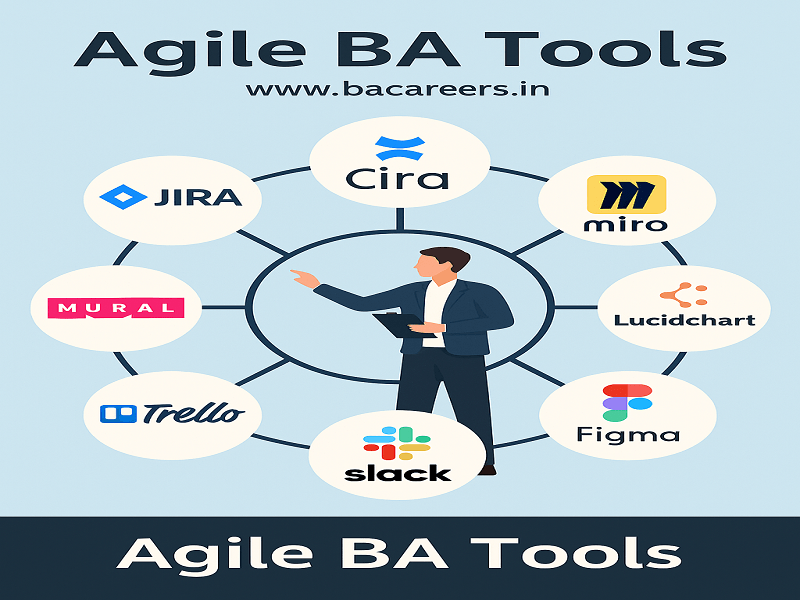
What are Agile BA Tools?
Unlike conventional Waterfall environments where one relies greatly on rigid, long form documents (such as big BRDs), Agile Business Analysis aims to cater for continuous delivery, iterated feedback and flexible software requirements. Agile BA tools aim to support adaptable requirements engineering, interactive user story mapping, visual modeling and constant communication between product owners, developers, and QA testers.
Key Takeaway: Agile BA tools primarily focus on lightweight documents, real-time collaboration, interactive backlog prioritization and constant requirements management across brief 2 week sprint cycles.
Top Agile BA tools by Category & Real-time scenarios;
The industry standard Agile BA tools are categorized by major project functions as follows along with scenarios on how they are leveraged by business analysts on a daily sprint basis:
1. Backlog and Sprint Management tools
- Jira Software (by Atlassian):
Function: User Epics, user stories specifications, Sprint backlog setup, and monitoring deliver velocity, through BURNDOWN charts or BURNOUT charts.
Real-time Scenario: During the sprint planning phase the BA uses Jira to develop smaller user stories compliant of the INVEST principle from an Epic, linking the business user stories to respective technical subtasks for the developers and adding acceptances criteria in a Given-When-Then format.
- Azure DevOps (ADO):
Function: Managing Agile work items linking Business User Stories with code repositories and QA tests.
2. Digital collaboration and user story mapping tools
- Miro/Mural:
Function: Interactive white boards used for JAD sessions, user story mapping, Root cause analysis and sprint retrospectives.
Real-time Scenario: Before the product release, the BA leads an interactive session using Miro to create a User Story Map that arranges the user journey vertically (for example from Search, through cart and checkout) and function slices horizontally for the MVP and release 2.0 backlog.
- Confluence:
Function: Knowledge management tool for the product where the BA maintains documents like product vision, sprint notes, API specs, Definition of Done, etc.
3. Rapid prototyping and wireframing tools
- Figma:
Function: cloud based interactive designing and prototyping tool where the BA can add comments on user interface designs and directly embed the live prototype to Jira user stories.
Real-time scenario: When refining a user profile dashboard feature, the BA directly embeds an interactive Figma Prototype to the Jira ticket so that the developers can analyze the layout, padding and interactivity before commencing the actual work without requiring separate design documentation.
- Balsamiq:
Function: Low-fidelity wireframing tool used by BAs for generating high-level UI sketches and validating business ideas quickly before handing them off to UI/UX specialists.
Comparison Matrix: Essential Agile BA Tools
| Tool Name | Key Category | Best Used For | Typical Agile Ceremonies |
| Jira | Backlog Management | User story writing, story point estimation, sprint tracking | Sprint Planning, Backlog Refinement, Daily Standup |
| Confluence | Knowledge Base | Centralizing acceptance frameworks, release notes, BRD pages | Sprint Review, Onboarding, Documentation |
| Miro | Digital Whiteboard | User story mapping, vision mapping, retrospective boards | Discovery Workshops, Sprint Retrospective |
| Figma | Prototyping | Interactive UI mockups, design inspection, workflow review | Backlog Refinement, Design Sprints |
| Slack / MS Teams | Team Communication | Real-time query resolution, automated Jira status notifications | Daily Async Standups, Ad-hoc Clarificatio |
How Agile BAs Combine Tools for an End-to-End Sprint Workflow
An effective Agile Business Analyst integrates multiple tools across a typical 2-week sprint cycle:
| Phase | Primary Tools | Business Analyst Activities |
|---|---|---|
| 🔍 Discovery Phase | Miro, Balsamiq | Story Mapping, Wireframing, Brainstorming, Process Mapping |
| 📝 Refinement Phase | Jira, Confluence | User Stories, Acceptance Criteria, Backlog Refinement, Documentation |
| ⚙️ Execution Phase | Jira, Azure DevOps | Sprint Tracking, Developer Support, Q&A, Defect Clarification |
| ✅ Review Phase | Figma, Jira | Sprint Review Demo, UI Validation, Stakeholder Feedback, Final Sign-off |
Discovery & Inception: Brainstorm workflows and user journeys visually using Miro.
Backlog Structuring: Write detailed User Stories and Acceptance Criteria in Jira, linking supporting process flows hosted on Confluence.
Sprint Refinement: Review Figma screen prototypes attached to Jira tickets to answer developer questions.
Execution & Support: Track active work items on the Jira Kanban/Scrum Board and resolve ad-hoc edge-case questions via Slack / MS Teams
Few More Tools
4. Lucidchart / Draw.io
Purpose: Diagramming and process modeling
Real-Time Use:
A BA at a healthcare startup uses Lucidchart to create a workflow diagram showing how patient appointment data moves through different systems.
Popular Diagrams:
BPMN diagrams
Flowcharts
Wireframes
Use Case Diagrams
5. Trello
Purpose: Lightweight task and story tracking
Scenario:
A BA working with a startup team uses Trello to maintain a feature backlog for their MVP launch. Stories are color-coded based on priority and status.
Benefits:
User-friendly interface
Custom boards and checklists
Great for smaller Agile teams
6. Slack / Microsoft Teams
Purpose: Team communication and real-time collaboration
Example:
A BA integrates Slack with JIRA to receive notifications when stories are moved across the Kanban board.
Benefits:
Immediate feedback from developers
Virtual stand-ups
Easy sharing of files and updates
7. Balsamiq / Figma
Purpose: Wireframing and prototyping
Real-Time Scenario:
A BA creates low-fidelity wireframes of a dashboard and shares them with the UX team and stakeholders using Figma. Real-time comments help improve the design quickly.
Why BAs Love These Tools:
Speedy mockups
Stakeholder validation
Reduce rework during development
🧩 Real-World Use Case: A BA in an Agile Retail Project
Imagine you are a Business Analyst working on a new retail order management system. Here’s how you use these tools:
JIRA to create epics for “Order Processing” and stories for “Order Cancellation”
Confluence to document business rules around refund policies
Miro for collaborative user journey mapping
Lucidchart to design the “Order Lifecycle” workflow
Slack for daily stand-up communication
Figma to prototype the customer order history screen
This toolkit helps you deliver value faster, reduce ambiguity, and improve team collaboration—all critical aspects of Agile Business Analysis.
🔑 Key Takeaways
Agile Business Analysts use tools not just to manage tasks, but to collaborate, visualize, and deliver value quickly.
Tools like JIRA, Confluence, Miro, and Lucidchart are essential in modern Agile environments.
Choosing the right tool depends on the project type, team size, and stakeholder needs.
Related Articles
Internal Links:
External Links:
Frequently Asked Questions (FAQ’s)
Jira combined with Confluence is the industry standard pair used by Agile Business Analysts globally for backlog management, documentation, and sprint execution tracking.
No. An Agile BA only needs basic familiarity with Figma to inspect screen layouts, review design flows, and verify that visual assets align with functional acceptance criteria.
Traditional BA tools focus on formal, long-form specification documents (like MS Word BRDs), whereas Agile BA tools emphasize interactive, real-time collaboration, continuous backlog grooming, and visual user story mapping.
🎁 Become a Better Business Analyst
Join 1,200+ Business Analysts learning every week.
Get instant access to:
📘 FREE Business Analyst Templates
🎯 Interview Preparation Guides
🚀 Agile & Scrum Tutorials
🤖 AI for Business Analysts
📈 Career Growth Tips
100% Free • No Spam • Unsubscribe Anytime
